02
Overview
A manageable way to work with AI.
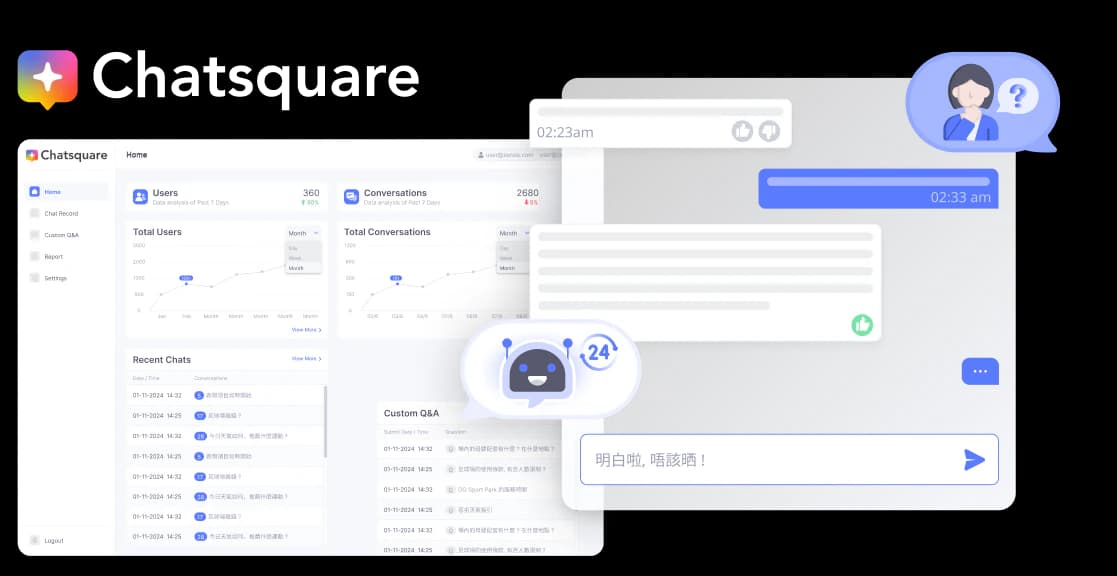
ChatSquare is designed to help SMEs create, train and manage an AI chatbot without requiring specialist technical knowledge.

Selected Work 04
AI Chatbot and Training CMS
Designing a clearer way for SMEs to train and manage AI.
Available on
01
Project snapshot
02
Overview
ChatSquare is designed to help SMEs create, train and manage an AI chatbot without requiring specialist technical knowledge.
03
The challenge
AI training can feel complex and inaccessible to non-technical users. The challenge was to turn chatbot setup, knowledge management and response refinement into a clear, manageable workflow.
04
My role & process
I defined the product direction and connected the chatbot, training CMS and product website from system flow through developer handoff.
Product Strategy + System Flow + Information Architecture + UX/UI Design + Prototyping
05
Product strategy
Three principles kept the experience focused on what non-technical teams need to understand and do.
Guide users without technical language.
Use the CMS as the main knowledge-management workspace.
Make content, training status and responses easy to review and refine.
06
Product flow
The loop keeps knowledge, publishing and response refinement connected instead of treating AI training as a one-off setup task.
Refined responses feed back into the source knowledge.
07
Promotion website & chatbot demo
The promotional website introduces ChatSquare’s core features and links to its live chatbot demo so prospective users can explore the product directly.
The live demo opens on ChatSquare's website and is subject to its availability and privacy practices.
08
CMS user flow
The CMS connects chat review, Q&A training, reporting and settings from one dashboard, with the main training journey highlighted throughout the map.
Focused CMS map
The primary route connects conversation review to Q&A training, while reporting and settings remain available from Home.
09
CMS UI showcase
The CMS frames AI training as familiar workspace tasks: organise knowledge, check progress and improve responses from real conversations.
10
Design output & reflection
Design output
The final design connects chatbot setup, knowledge training, response review and product communication into one coherent journey intended for teams without specialist AI knowledge.
This case study documents the product structure and design rationale. It does not claim measured usability or business impact because validated outcome data is not available for publication.
Reflection
The project reinforced the importance of translating AI concepts into familiar tasks, visible feedback and clear user control.