
One Operational Core
Connect bookings, payments, membership, attendance and content.

Product & UX/UI case study
Sports Club Operations and Facility Booking Platform
One Platform for Sports Club Operations
01
Project snapshot
02
Overview
Sportshub is a configurable sports club management platform connecting the complete journey from service discovery and booking to payment, check-in and attendance tracking.
Members use the responsive website or mobile app to book facilities, events, programmes and coaching services. Frontline staff validate reservations through the Staff App, while administrators configure facilities, schedules, pricing, booking rules and content through the CMS.
The product model is structured so each clubhouse can configure its branding and operational rules while retaining the same shared system.
03
The challenge
Club operations often use separate workflows for bookings, events, lessons, payments, attendance and communication.
The challenge was to create one reusable system that supports different club rules and branding while keeping member, staff and administrator experiences clear and connected.
04
My role & process
I translated business and operational requirements into a connected product structure across member, staff and administrator touchpoints.
Evidence note: This case study presents requirements, system architecture, flows and interface artefacts. It does not include participant research, usability-test results or post-launch performance metrics.
05
Product strategy
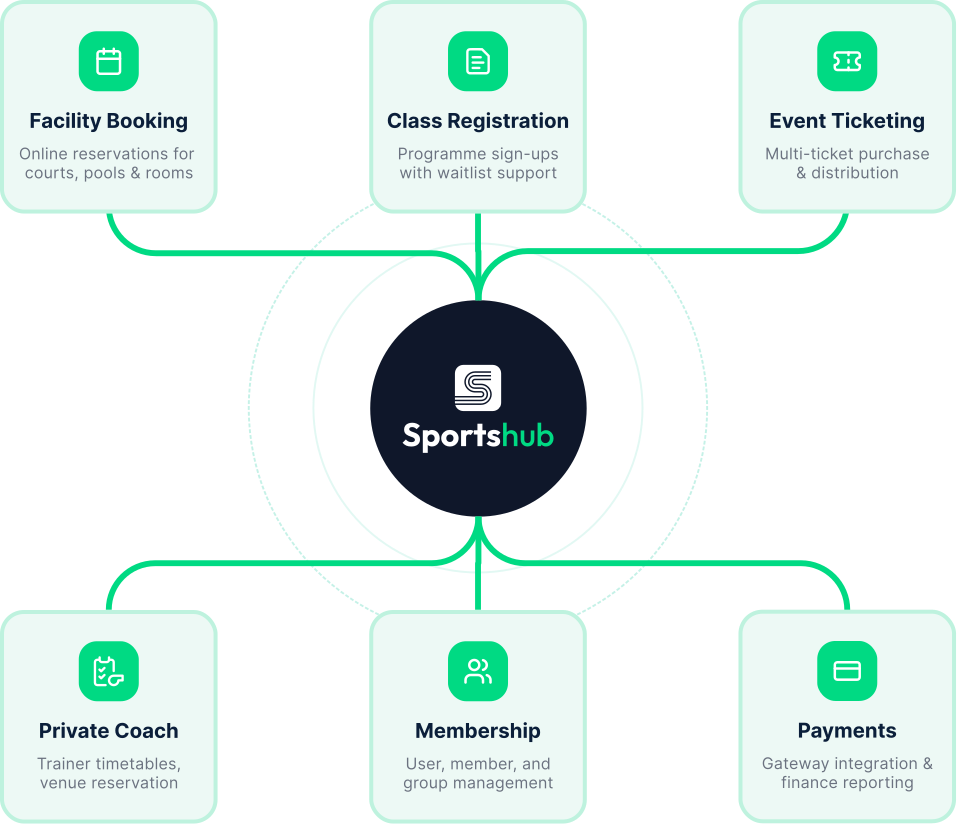
One shared product core supports four role-specific experiences while allowing each club to configure its own branding and operational rules.
Connect bookings, payments, membership, attendance and content.
Provide focused tools for members, staff and administrators.
Support each club’s branding, facilities, schedules, prices and policies.
06
Member booking journey
A connected journey from member discovery to frontline validation and operational reporting.
07
Key modules
A concise module structure turns a broad product scope into understandable groups for design and delivery.
Availability, time slots, quotas, pricing and blackout periods.
Enrolment, private lessons, waitlists and sick leave.
Registration, tickets and QR attendance.
Payments, vouchers, promo codes and refunds.
Accounts, news, notifications and enquiries.
QR validation, check-in, attendance and guest passes.
08
Cross-platform workflow
A high-level view of how configuration, member actions, frontline validation and operational records move through the shared Sportshub platform.
09
UI showcases
The selected screens show how the shared product model is expressed across member, web, administrator and staff touchpoints.
Discovery, booking, reservations, membership and QR check-in.
Responsive booking, events, programmes, accounts and payments.
10
CMS system flow
Authentication leads administrators into six connected management areas, with each module's actions, decisions and completion states kept visible.
CMS entry flow
The authentication path retains credential validation, error recovery, optional two-factor authentication and verified dashboard access.
Core management modules
Each module starts from the shared dashboard, then follows its documented actions, decisions and completion states.
Service and reporting modules
Each module starts from the shared dashboard, then follows its documented actions, decisions and completion states.
Facilities, schedules, rules, programmes, events, content and reporting.
QR scanning, booking validation, check-in and attendance.
11
Illustration system
12
Design output & reflection
Design output
The final design defines a configurable multi-platform foundation connecting member self-service, administrator control and frontline operations within one product ecosystem.
Reflection
Designing across four connected platforms reinforced the importance of mapping shared data, roles and operational dependencies before designing individual screens.